
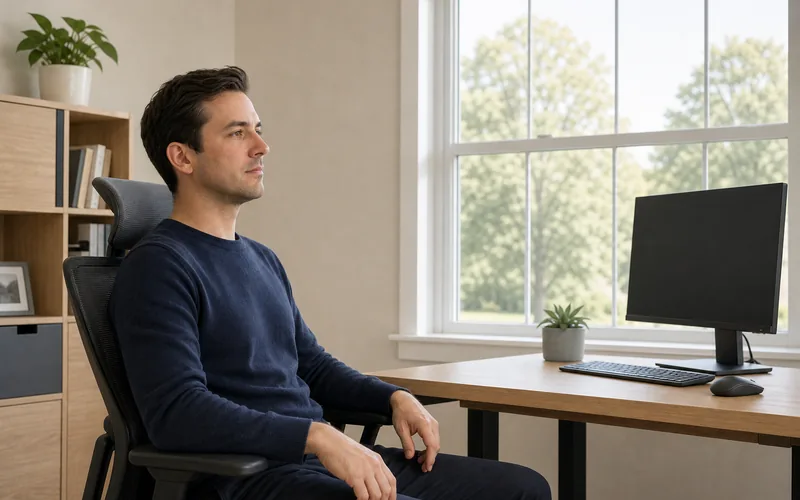
This screen break combines distance viewing, gentle blinking, and relaxed focus changes. It may ease temporary visual fatigue, but it does not diagnose or treat eye disease.
Eye Strain Relief Exercises for Screen Time
- Total time: 5 minutes
- Equipment: Chair, screen, distant view
- Effort: Easy and pain-free
- Breathing: Natural and unforced
Before You Begin
- Sit with your back supported.
- Place both feet on the floor.
- Relax your jaw and shoulders.
- Remove glare from the screen.
- Keep prescribed glasses on.
Do not press, rub, or force the eyes into extreme positions. Stop if the routine causes pain, nausea, double vision, or worsening blur.
The 5-Minute Screen-Break Routine
- Posture reset — 30 seconds: Sit tall without stiffening. Let your hands rest in your lap and soften your gaze beyond the screen.
- Distance gaze — 60 seconds: Look through a window or across the room at an object about 20 feet away. Keep your head neutral.

Look beyond the screen at a comfortable distant target. - Gentle blinking — 60 seconds: Blink slowly ten times, closing naturally without squeezing. Pause briefly, then repeat ten comfortable blinks.

Close the eyelids naturally without squeezing or touching them. - Near-to-far focus — 90 seconds: Hold one finger about 14 inches away. Look at it for 3 seconds, then at the distant target for 3 seconds. Repeat calmly.

Shift focus gently between one fingertip and the distant target. - Screen setup — 60 seconds: Enlarge small text, match display brightness to the room, reduce glare, and place the monitor about an arm’s length away.
Comfort Checklist
- Breathing stays normal.
- Eyelids close without squeezing.
- The head remains neutral.
- Focus changes are comfortable.
- Symptoms do not worsen.
Pair this break with our wall posture routine, resistance-band posture reset, or seated chin tucks.
Evidence-Based Screen Habits
The CDC’s NIOSH guidance recommends regular screen breaks, reduced glare, readable text, and the 20-20-20 approach: every 20 minutes, view something 20 feet away for 20 seconds.
The American Optometric Association describes digital eye strain as screen-related eye and vision discomfort. Persistent symptoms can also reflect an uncorrected vision problem and deserve an eye examination.
When to Seek Help
Arrange an eye-care assessment if discomfort, headaches, dryness, or blur persists despite breaks and a better workstation. Seek urgent care for sudden vision loss, severe eye pain, new flashes or a curtain-like shadow, chemical exposure, or eye injury.
Make the Workstation Easier to View
- Keep the screen free of glare.
- Increase text size instead of leaning forward.
- Place the top of the monitor near eye level.
- Use comfortable room and display brightness.
- Clean lenses as directed by your provider.
Dry air and reduced blinking can add discomfort during concentrated work. Keep air vents from blowing directly toward the face and remember natural, complete blinks.
Set a quiet reminder every 20 minutes instead of relying on symptoms. A short distance-viewing break is easier to maintain than one long break after hours of uninterrupted work.
Contact-lens wearers may need individualized advice if dryness persists. Use only eye drops recommended for the lenses or condition, and never substitute an exercise for prescribed care.
Frequently Asked Questions
Do these exercises improve eyesight?
No. They are comfort breaks and do not replace prescription correction or clinical treatment.
How often should I take a break?
Use short, frequent breaks during screen work rather than waiting until discomfort becomes strong.